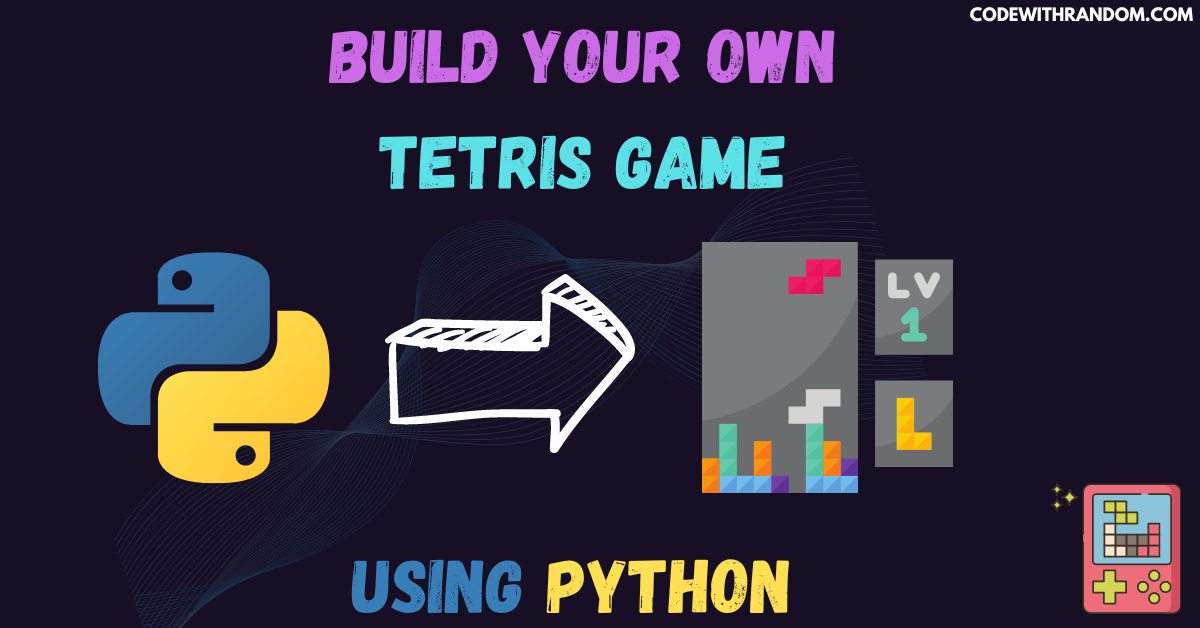
Build Your Own Tetris Game Using Python
Hello coder, welcome to the codewithrandom blog. It’s time to code a game Tetris game using Python. In this article, we create a Tetris Game Using Python. Tetris game is a classic arcade game that has been enjoyed by millions of players around the world for decades. Tetris game is a game of speed, strategy, and skill that challenges players to think quickly and react even faster. In this blog post, we will explore how to create a Tetris game using Python. To create a Tetris game using Python, we will use the Pygame library.
Before Starting Tetris Game Using Python coding, check this video to know what we are going to make:
To create a Tetris game using Python, we need to perform the following steps:
For this Tetris game using Python project, we need to install Pygame library. You can install these packages in your terminal.
pip install pygame
step 1: Importing the Required Modules.
import pygame
import random
step 2: Shapes & Colors of the blocks
shapes = [
        [[1, 5, 9, 13], [4, 5, 6, 7]],
        [[4, 5, 9, 10], [2, 6, 5, 9]],
        [[6, 7, 9, 10], [1, 5, 6, 10]],
        [[2, 1, 5, 9], [0, 4, 5, 6], [1, 5, 9, 8], [4, 5, 6, 10]],
        [[1, 2, 6, 10], [5, 6, 7, 9], [2, 6, 10, 11], [3, 5, 6, 7]],
        [[1, 4, 5, 6], [1, 4, 5, 9], [4, 5, 6, 9], [1, 5, 6, 9]],
        [[1, 2, 5, 6]],
    ]

shapeColors = [(0, 255, 0), (255, 0, 0), (0, 255, 255), (255, 255, 0), (255, 165, 0), (0, 0, 255), (128, 0, 128)]
step 3: define Global Variables in Tetris game
width = 700
height = 600
gameWidth = 100  # meaning 300 // 10 = 30 width per block
gameHeight = 400  # meaning 600 // 20 = 20 height per blo ck
blockSize = 20

topLeft_x = (width - gameWidth) // 2
topLeft_y = height - gameHeight - 50


class Block:
    x = 0
    y = 0
    n = 0
    def __init__(self, x, y,n):
        self.x = x
        self.y = y
        self.type = n
        self.color = n
        self.rotation = 0
    def image(self):
        return shapes[self.type][self.rotation]

    def rotate(self):
        self.rotation = (self.rotation + 1) % len(shapes[self.type])


class Tetris:
    level = 2
    score = 0
    state = "start"
    field = []
    height = 0
    width = 0
    zoom = 20
    x = 100
    y = 60
    block = None
    nextBlock=None
step 4: Sets the properties of the board for Tetris game
def __init__(self, height, width):
       self.height = height
       self.width = width
       for i in range(height):
           new_line = []
           for j in range(width):
               new_line.append(0)
           self.field.append(new_line)
step 5 : Creates a new block & Checks if the blocks touch the top of the board in Tetris game
def new_block(self):
        self.block = Block(3, 0,random.randint(0, len(shapes) - 1))

    def next_block(self):
        self.nextBlock=Block(3,0,random.randint(0, len(shapes) - 1))
    #Checks if the blocks touch the top of the board
    def intersects(self):
        intersection = False
        for i in range(4):
            for j in range(4):
                if i * 4 + j in self.block.image():
                    if i + self.block.y > self.height - 1 or \
                            j + self.block.x > self.width - 1 or \
                            j + self.block.x < 0 or \
                            self.field[i + self.block.y][j + self.block.x] > 0:
                        intersection = True
        return intersection
step 6: Checks if a row is formed and destroys that line
def break_lines(self):
       lines = 0
       for i in range(1, self.height):
           zeros = 0
           for j in range(self.width):
               if self.field[i][j] == 0:
                   zeros += 1
           if zeros == 0:
               lines += 1
               for i1 in range(i, 1, -1):
                   for j in range(self.width):
                       self.field[i1][j] = self.field[i1 - 1][j]
       self.score += lines ** 2

   def draw_next_block(self,screen):

       font = pygame.font.SysFont("Calibri", 30)
       label = font.render("Next Shape", 1, (128,128,128))

       sx = topLeft_x + gameWidth + 50
       sy = topLeft_y + gameHeight/2 - 100
       format = self.nextBlock.image()
       for i in range(4):
               for j in range(4):
                   p = i * 4 + j
                   if p in self.nextBlock.image():
                       pygame.draw.rect(screen, shapeColors[self.nextBlock.color],(sx + j*30, sy + i*30, 30, 30), 0)
step 7: Moves the block down & bottom by a unit
def go_down(self):
       self.block.y += 1
       if self.intersects():
           self.block.y -= 1
           self.freeze()

   #Moves the block to the bottom
   def moveBottom(self):
       while not self.intersects():
           self.block.y += 1
       self.block.y -= 1
       self.freeze()

   #Moves the block down by a unit
   def moveDown(self):
       self.block.y += 1
       if self.intersects():
           self.block.y -= 1
           self.freeze()
step 8: This function runs once the block reaches the bottom and create function moves the block horizontally.
def freeze(self):
        for i in range(4):
            for j in range(4):
                if i * 4 + j in self.block.image():
                    self.field[i + self.block.y][j + self.block.x] = self.block.color
        self.break_lines() #Checking if any row is formed
        self.block=self.nextBlock
        self.next_block() #Creating a new block
        if self.intersects(): #If blocks touch the top of the board, then ending the game by setting status as gameover
            self.state = "gameover"
    #This function moves the block horizontally
    def moveHoriz(self, dx):
        old_x = self.block.x
        self.block.x += dx
        if self.intersects():
            self.block.x = old_x
step 9: Create the function to rotates the block & create a new block if there is no moving block
 def rotate(self):
        old_rotation = self.block.rotation
        self.block.rotate()
        if self.intersects():
            self.block.rotation = old_rotation

pygame.font.init()

def startGame():
    done = False
    clock = pygame.time.Clock()
    fps = 25
    game = Tetris(20, 10)
    counter = 0

    pressing_down = False

    while not done:
        #Create a new block if there is no moving block
        if game.block is None:
            game.new_block()
        if game.nextBlock is None:
            game.next_block()
        counter += 1 #Keeping track if the time
        if counter > 100000:
            counter = 0
step 10. Moving the block continuously with time or when down key is pressed & Checking which key is pressed and running corresponding function
       if counter % (fps // game.level // 2) == 0 or pressing_down:
           if game.state == "start":
               game.go_down()

       for event in pygame.event.get():
           if event.type == pygame.QUIT:
               done = True
           if event.type == pygame.KEYDOWN:
               if event.key == pygame.K_UP:
                   game.rotate()
               if event.key == pygame.K_DOWN:
                   game.moveDown()
               if event.key == pygame.K_LEFT:
                   game.moveHoriz(-1)
               if event.key == pygame.K_RIGHT:
                   game.moveHoriz(1)
               if event.key == pygame.K_SPACE:
                   game.moveBottom()
               if event.key == pygame.K_ESCAPE:
                   game.__init__(20, 10)

       screen.fill('#FFFFFF')
step 11: Updating the game board regularly & Updating the board with the moving block
for i in range(game.height):
    for j in range(game.width):
        pygame.draw.rect(screen, '#B2BEB5', [game.x + game.zoom * j, game.y + game.zoom * i, game.zoom, game.zoom], 1)
        if game.field[i][j] > 0:
            pygame.draw.rect(screen, shapeColors[game.field[i][j]],
                             [game.x + game.zoom * j + 1, game.y + game.zoom * i + 1, game.zoom - 2, game.zoom - 1])


if game.block is not None:
    for i in range(4):
        for j in range(4):
            p = i * 4 + j
            if p in game.block.image():
                pygame.draw.rect(screen, shapeColors[game.block.color],
                                 [game.x + game.zoom * (j + game.block.x) + 1,
                                  game.y + game.zoom * (i + game.block.y) + 1,
                                  game.zoom - 2, game.zoom - 2])
step 12: Create a function for Showing the score & Ending the game if state is gameover
        font = pygame.font.SysFont('Calibri', 40, True, False)
        font1 = pygame.font.SysFont('Calibri', 25, True, False)
        text = font.render("Score: " + str(game.score), True, '#000000')
        text_game_over = font.render("Game Over", True, '#000000')
        text_game_over1 = font.render("Press ESC", True, '#000000')


        screen.blit(text, [300, 0])
        if game.state == "gameover":
            screen.blit(text_game_over, [300, 200])
            screen.blit(text_game_over1, [300, 265])

        game.draw_next_block(screen)

        pygame.display.flip()
        clock.tick(fps)


screen = pygame.display.set_mode((width, height))
pygame.display.set_caption("Tetris by DataFlair")
run = True
while run:
    screen.fill((16, 57, 34 ))
    font = pygame.font.SysFont("Calibri", 70, bold=True)
    label = font.render("Press any key to begin!", True, '#FFFFFF')

    screen.blit(label, (10, 300 ))
    pygame.display.update()
    for event in pygame.event.get():
        if event.type == pygame.QUIT:
            run = False
        if event.type == pygame.KEYDOWN:
            startGame()
pygame.quit()
Here Complete Source Code For the Tetris game using Python (copy the code and run )👇👇👇
import pygame
import random

#Shapes of the blocks
shapes = [
        [[1, 5, 9, 13], [4, 5, 6, 7]],
        [[4, 5, 9, 10], [2, 6, 5, 9]],
        [[6, 7, 9, 10], [1, 5, 6, 10]],
        [[2, 1, 5, 9], [0, 4, 5, 6], [1, 5, 9, 8], [4, 5, 6, 10]],
        [[1, 2, 6, 10], [5, 6, 7, 9], [2, 6, 10, 11], [3, 5, 6, 7]],
        [[1, 4, 5, 6], [1, 4, 5, 9], [4, 5, 6, 9], [1, 5, 6, 9]],
        [[1, 2, 5, 6]],
    ]
#Colors of the blocks
shapeColors = [(0, 255, 0), (255, 0, 0), (0, 255, 255), (255, 255, 0), (255, 165, 0), (0, 0, 255), (128, 0, 128)]
# GLOBALS VARS
width = 700
height = 600
gameWidth = 100  # meaning 300 // 10 = 30 width per block
gameHeight = 400  # meaning 600 // 20 = 20 height per blo ck
blockSize = 20

topLeft_x = (width - gameWidth) // 2
topLeft_y = height - gameHeight - 50


class Block:
    x = 0
    y = 0
    n = 0
    def __init__(self, x, y,n):
        self.x = x
        self.y = y
        self.type = n
        self.color = n
        self.rotation = 0
    def image(self):
        return shapes[self.type][self.rotation]

    def rotate(self):
        self.rotation = (self.rotation + 1) % len(shapes[self.type])


class Tetris:
    level = 2
    score = 0
    state = "start"
    field = []
    height = 0
    width = 0
    zoom = 20
    x = 100
    y = 60
    block = None
    nextBlock=None

    #Sets the properties of the board
    def __init__(self, height, width):
        self.height = height
        self.width = width
        for i in range(height):
            new_line = []
            for j in range(width):
                new_line.append(0)
            self.field.append(new_line)

    #Creates a new block
    def new_block(self):
        self.block = Block(3, 0,random.randint(0, len(shapes) - 1))

    def next_block(self):
        self.nextBlock=Block(3,0,random.randint(0, len(shapes) - 1))
    #Checks if the blocks touch the top of the board
    def intersects(self):
        intersection = False
        for i in range(4):
            for j in range(4):
                if i * 4 + j in self.block.image():
                    if i + self.block.y > self.height - 1 or \
                            j + self.block.x > self.width - 1 or \
                            j + self.block.x < 0 or \
                            self.field[i + self.block.y][j + self.block.x] > 0:
                        intersection = True
        return intersection

    #Checks if a row is formed and destroys that line
    def break_lines(self):
        lines = 0
        for i in range(1, self.height):
            zeros = 0
            for j in range(self.width):
                if self.field[i][j] == 0:
                    zeros += 1
            if zeros == 0:
                lines += 1
                for i1 in range(i, 1, -1):
                    for j in range(self.width):
                        self.field[i1][j] = self.field[i1 - 1][j]
        self.score += lines ** 2

    def draw_next_block(self,screen):

        font = pygame.font.SysFont("Calibri", 30)
        label = font.render("Next Shape", 1, (128,128,128))

        sx = topLeft_x + gameWidth + 50
        sy = topLeft_y + gameHeight/2 - 100
        format = self.nextBlock.image()
        for i in range(4):
                for j in range(4):
                    p = i * 4 + j
                    if p in self.nextBlock.image():
                        pygame.draw.rect(screen, shapeColors[self.nextBlock.color],(sx + j*30, sy + i*30, 30, 30), 0)

        #Moves the block down by a unit
    def go_down(self):
        self.block.y += 1
        if self.intersects():
            self.block.y -= 1
            self.freeze()

    #Moves the block to the bottom
    def moveBottom(self):
        while not self.intersects():
            self.block.y += 1
        self.block.y -= 1
        self.freeze()

    #Moves the block down by a unit
    def moveDown(self):
        self.block.y += 1
        if self.intersects():
            self.block.y -= 1
            self.freeze()

    # This function runs once the block reaches the bottom.
    def freeze(self):
        for i in range(4):
            for j in range(4):
                if i * 4 + j in self.block.image():
                    self.field[i + self.block.y][j + self.block.x] = self.block.color
        self.break_lines() #Checking if any row is formed
        self.block=self.nextBlock
        self.next_block() #Creating a new block
        if self.intersects(): #If blocks touch the top of the board, then ending the game by setting status as gameover
            self.state = "gameover"
    #This function moves the block horizontally
    def moveHoriz(self, dx):
        old_x = self.block.x
        self.block.x += dx
        if self.intersects():
            self.block.x = old_x

    #This function rotates the block
    def rotate(self):
        old_rotation = self.block.rotation
        self.block.rotate()
        if self.intersects():
            self.block.rotation = old_rotation

pygame.font.init()

def startGame():
    done = False
    clock = pygame.time.Clock()
    fps = 25
    game = Tetris(20, 10)
    counter = 0

    pressing_down = False

    while not done:
        #Create a new block if there is no moving block
        if game.block is None:
            game.new_block()
        if game.nextBlock is None:
            game.next_block()
        counter += 1 #Keeping track if the time
        if counter > 100000:
            counter = 0

        #Moving the block continuously with time or when down key is pressed
        if counter % (fps // game.level // 2) == 0 or pressing_down:
            if game.state == "start":
                game.go_down()
        #Checking which key is pressed and running corresponding function
        for event in pygame.event.get():
            if event.type == pygame.QUIT:
                done = True
            if event.type == pygame.KEYDOWN:
                if event.key == pygame.K_UP:
                    game.rotate()
                if event.key == pygame.K_DOWN:
                    game.moveDown()
                if event.key == pygame.K_LEFT:
                    game.moveHoriz(-1)
                if event.key == pygame.K_RIGHT:
                    game.moveHoriz(1)
                if event.key == pygame.K_SPACE:
                    game.moveBottom()
                if event.key == pygame.K_ESCAPE:
                    game.__init__(20, 10)

        screen.fill('#FFFFFF')

        #Updating the game board regularly
        for i in range(game.height):
            for j in range(game.width):
                pygame.draw.rect(screen, '#B2BEB5', [game.x + game.zoom * j, game.y + game.zoom * i, game.zoom, game.zoom], 1)
                if game.field[i][j] > 0:
                    pygame.draw.rect(screen, shapeColors[game.field[i][j]],
                                     [game.x + game.zoom * j + 1, game.y + game.zoom * i + 1, game.zoom - 2, game.zoom - 1])

        #Updating the board with the moving block
        if game.block is not None:
            for i in range(4):
                for j in range(4):
                    p = i * 4 + j
                    if p in game.block.image():
                        pygame.draw.rect(screen, shapeColors[game.block.color],
                                         [game.x + game.zoom * (j + game.block.x) + 1,
                                          game.y + game.zoom * (i + game.block.y) + 1,
                                          game.zoom - 2, game.zoom - 2])

        #Showing the score
        font = pygame.font.SysFont('Calibri', 40, True, False)
        font1 = pygame.font.SysFont('Calibri', 25, True, False)
        text = font.render("Score: " + str(game.score), True, '#000000')
        text_game_over = font.render("Game Over", True, '#000000')
        text_game_over1 = font.render("Press ESC", True, '#000000')

        #Ending the game if state is gameover
        screen.blit(text, [300, 0])
        if game.state == "gameover":
            screen.blit(text_game_over, [300, 200])
            screen.blit(text_game_over1, [300, 265])

        game.draw_next_block(screen)

        pygame.display.flip()
        clock.tick(fps)


screen = pygame.display.set_mode((width, height))
pygame.display.set_caption("Tetris by DataFlair")
run = True
while run:
    screen.fill((16, 57, 34 ))
    font = pygame.font.SysFont("Calibri", 70, bold=True)
    label = font.render("Press any key to begin!", True, '#FFFFFF')

    screen.blit(label, (10, 300 ))
    pygame.display.update()
    for event in pygame.event.get():
        if event.type == pygame.QUIT:
            run = False
        if event.type == pygame.KEYDOWN:
            startGame()
pygame.quit()
Output for the Tetris game using Python👇👇
conclusion
Hurray! You have successfully Create the a popular Tetris game using Python . We learned to create amazing python project , Tetris game using Python. creating a Tetris game using Python is a fun and challenging project that requires knowledge of basic game mechanics and Python programming. The Pygame library provides a set of tools for handling graphics, sound, and user input, making it easy to create a simple Tetris game using Python . With a bit of creativity and hard work, you can create your own version of this classic game and share it with the world. Hope you enjoyed building with us, Tetris game using Python! Visit our homepage and you get lot’s of projects💝.
Feel free to leave comments below if you have any questions or have suggestions for some edits and check out more of my python articles.
#Tetris game using Python