10 Digit Phone/Mobile Number Validation In JavaScript

Welcome to The Codewithrandom blog. In this blog, We learn how to Validate a 10 Digit Phone/Mobile Number Using Html, Css, and JavaScript (jquery) Code.
I hope you enjoy our blog so let’s start with a basic HTML Structure for the 10 Digit Phone/Mobile Number Validation.
| Code by | Tuan Duc Design |
| Project Download | Link Available Below |
| Language used | HTML , CSS and JavaScript(jQuery) |
| External link / Dependencies | Yes |
| Responsive | Yes |
50+ HTML, CSS & JavaScript Projects With Source Code
HTML Code For 10 Digit Phone/Mobile Number Validation
<!DOCTYPE html>
<html lang="en">
<head>
    <meta charset="UTF-8">
    <meta http-equiv="X-UA-Compatible" content="IE=edge">
    <meta name="viewport" content="width=device-width, initial-scale=1.0">
    <title> Phone number validation</title>
    <link rel="stylesheet" href="style.css">
    <link rel="stylesheet" href="https://cdn.jsdelivr.net/npm/[email protected]/dist/css/bootstrap.min.css">
    <script src="https://code.jquery.com/jquery-3.5.1.slim.min.js"></script>
    <script src="https://cdn.jsdelivr.net/npm/[email protected]/dist/umd/popper.min.js"></script>
    <script src="https://cdn.jsdelivr.net/npm/[email protected]/dist/js/bootstrap.min.js"></script>
</head>
<body>
  <div>
  <form>
    <h1 class="text-center">
    Phone number validation with simple Javascript
    </h1>
    <div class="input-group">
    <input id="mobile" type="text" class="form-control" placeholder="Enter the phone number to check..." />
    <div class="input-group-btn">
    <button class="btn btn-primary checkmobile" type="button">
    Check
    </button>
    </div>
    </div>
    </form>
    </div>
  <script src="app.js"></script>
  </body>
</html>
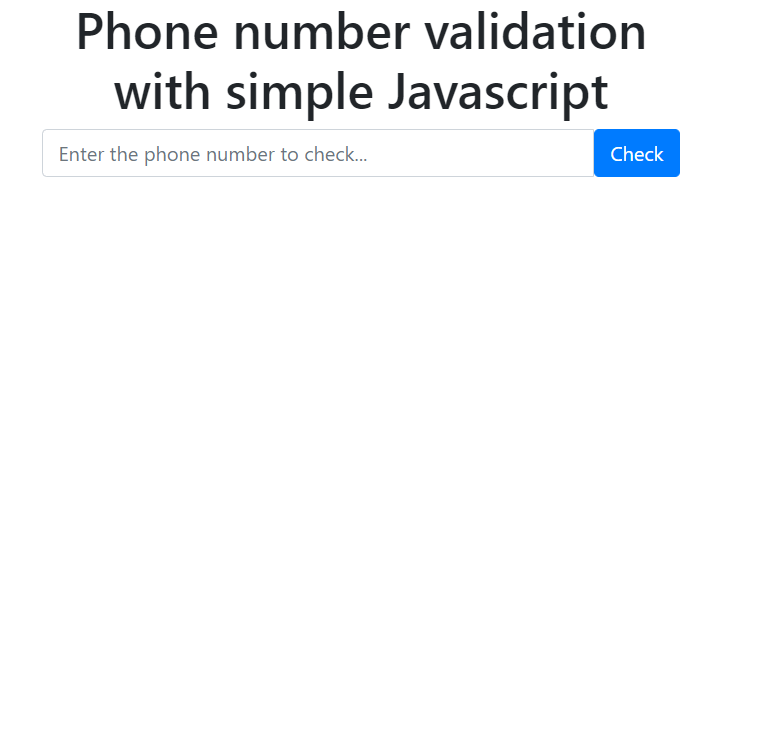
There is all the HTML Code for the 10 Digit Phone/Mobile Number Validation. Now, you can see output without Css and Javascript. Then we write Css for the styling project And Add JavaScript Code for the 10 Digit Phone/Mobile Number Validation.
100+ JavaScript Projects With Source Code ( Beginners to Advanced)
Only HTML Code Output
CSS Code For 10 Digit Phone/Mobile Number Validation
body {
  border-top: 2px solid #007bff;
  background: #efefef;
  }
  .container {
  margin-top: 0.5rem;
  }
  .container h1 {
  color: #007bff;
  }
  .container .input-group input {
  border-color: #007bff;
  border-width: 3px;
  border-radius: 25px 0 0 25px !important;
  }
  .container .input-group .input-group-btn button {
  border-radius: 0 25px 25px 0 !important;
  }
Portfolio Website using HTML and CSS (Source Code)
Html and Css Updated Output

JavaScript Code For 10 Digit Phone/Mobile Number Validation
 $(document).ready(function() {
$('body').on('click','.checkmobile', function() {
var tdr_regex = /((09|03|07|08|05)+([0-9]{8})b)/g; // Do not use +
var mobile = $('#mobile').val();
if(mobile !==''){
if (tdr_regex.test(mobile) == false)
{
alert( 'Your phone number ' + mobile + ' is not in the correct format!');
}else{
alert( 'Your phone number ' + mobile + ' is valid!');
}
}else{
alert( 'You have not entered your phone number!');
}
});
});
10+ Javascript Projects For Beginners With Source Code
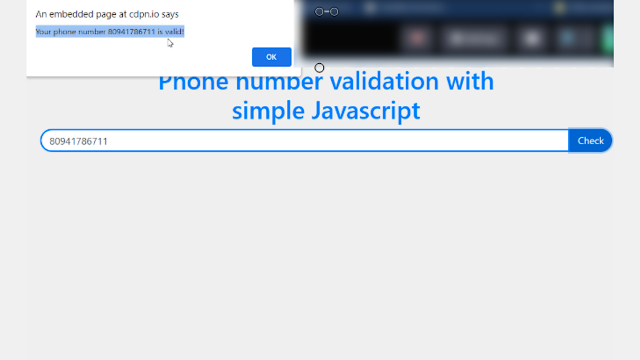
Final Output Of 10 Digit Phone/Mobile Number Validation


Now that we have completed our 10 Digit Phone/Mobile Number Validation. Here is our updated output with Html, Css, And Javascript Code.
Hope you like the 10 Digit Phone/Mobile Number Validation In JavaScript. you can see the output video and project screenshots. See our other blogs and gain knowledge in front-end development.
Ecommerce Website Using HTML, CSS, & JavaScript (Source Code)
Thank you!
Written by – Code With Random/Anki
Code by – Tuan Duc Design
Which code editor do you use for this 10 Digit Phone/Mobile Number Validation coding?
I personally recommend using VS Code Studio, it’s straightforward and easy to use.
is this project responsive or not?
YES! this is a responsive project
Do you use any external links to create this project?
Yes!